
No products in the cart.

3D Printer Display, 3D Printer Part, All Products, Bigtreetech Products, Motherboard & Displays
Bigtreetech TFT70 V3.0 Display Screen for 3D Printer
Availability:
Only 2 left in stock
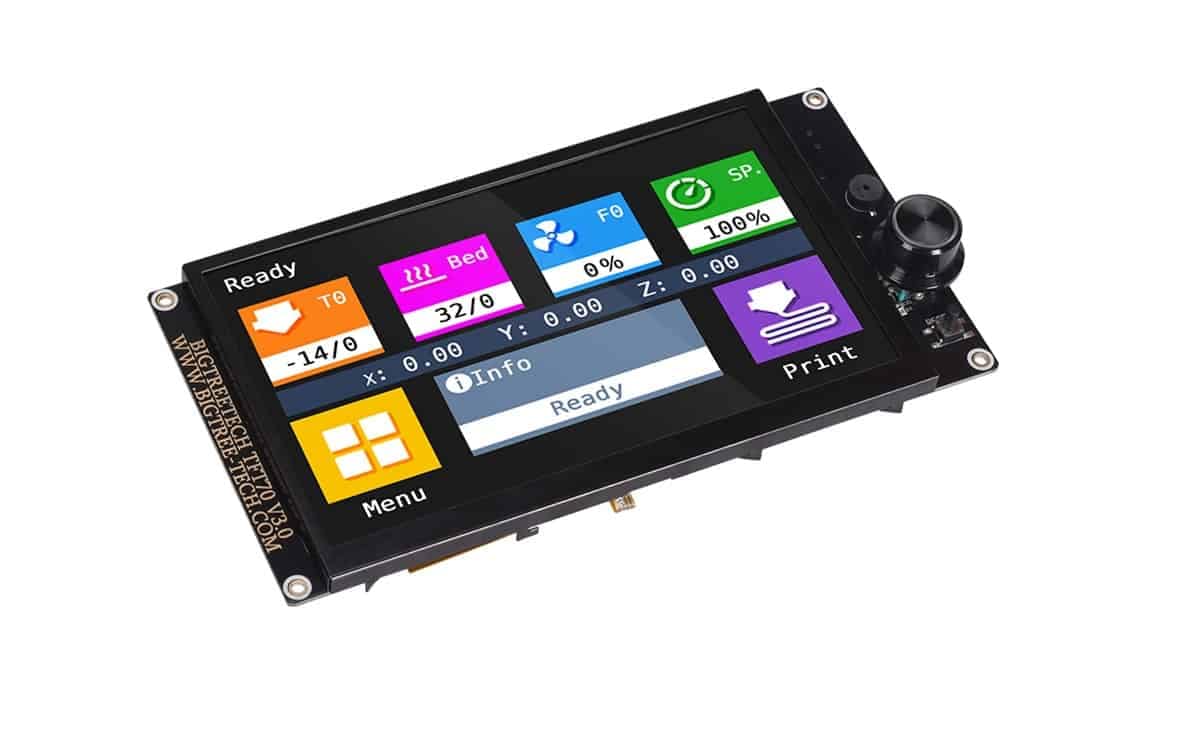
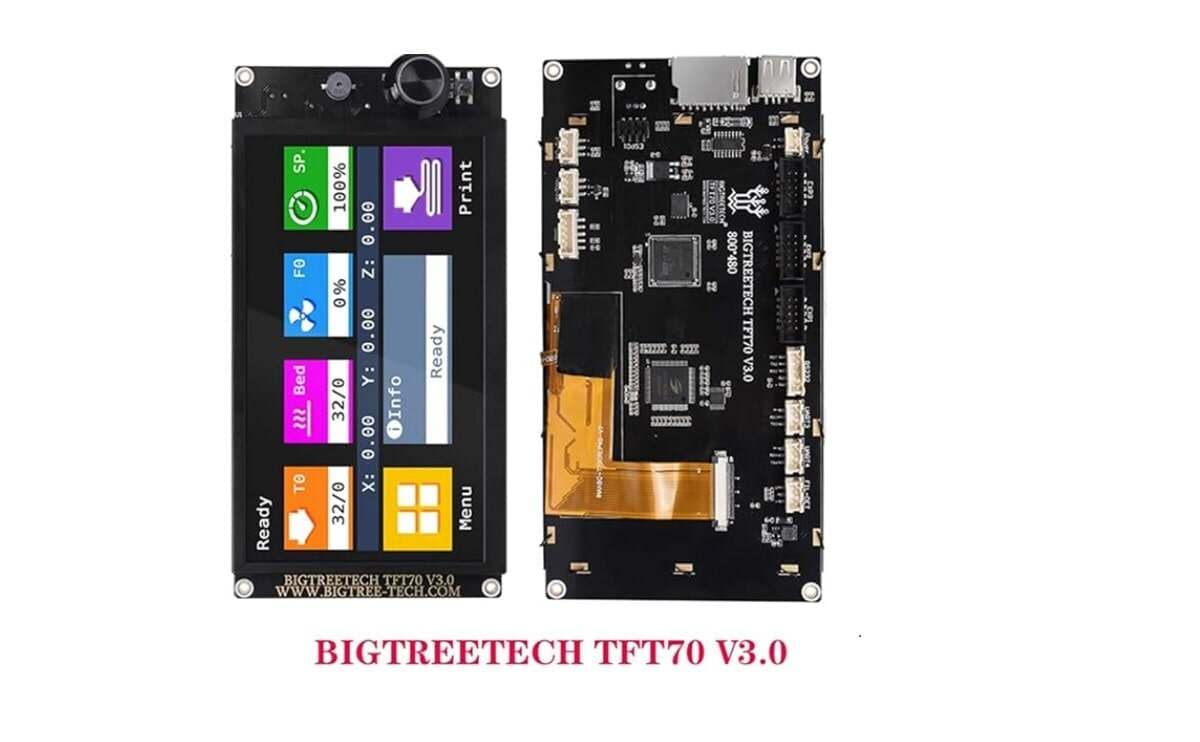
Bigtreetech TFT70 V3.0 is a 7-inch TFT display for 3D printers featuring an 800×480 color screen, STM32F407VGT6 MCU, and SSD1963 driving 21 LEDs. It offers dual operation modes (Marlin/Touch) with optional RS232 serial touch mode, and supports multi-mode printing through a dedicated interface, U-disk, and on-board SD; G-code editing on-screen; real-time data monitoring. Compatible with 5V systems and MEGA2560-type boards; dimensions 196x100mm (installation 188x92mm). Includes 1 unit.
- 800×480 color TFT display with 21 white LED backlights
- Dual operating modes: Marlin Mode and Touch Mode
- On-screen G-code editing and real-time data monitoring
- Multiple print interfaces: onboard SD, USB U-disk, and mode preview
- RS232 serial touch mode option for touch capability
- 5V power input with 3.3V/5V SD card logic compatibility (MEGA2560 compatibility)
- Appearance 196x100mm; installation 188x92mm; MCU STM32F407VGT6 SSD1963
- Includes 1 x Bigtreetech TFT70 V3.0
₹7,099.00
Only 2 left in stock
Tell us what you need and we’ll help you source it.
Bigtreetech TFT70 V3.0 Display Screen for 3D Printer
- BIGTREETECH TFT70 V3.0 is a large-format 7-inch 3D printer display designed to improve visibility, control, and daily print management.
- For users in India who want a bigger, clearer interface for monitoring and tuning, the TFT70 V3.0 offers a clean UI and advanced on-screen tools while keeping compatibility with classic Marlin-style navigation.
- A major advantage is the dual‑mode interface. With a one-click switch, you can choose between Marlin Mode (12864) and Touch Mode (Serial). In 12864 (Marlin) mode, the screen connects via EXP1/EXP2 and behaves like a traditional LCD interface—important
Specifications
- Model: BTT TFT70 V3.0
- Appearance size: 196 × 100 mm
- Installation size: 188 × 92 mm
- MCU: STM32F407VGT6
- Display area: 153.84 × 85.776 mm
- Resolution: 800 (RGB) × 480
- Backlight: 21 white LEDs
- Power input: DC 5V
- SD card logic voltage: 3.3V & 5V
Applications
- On-printer control for calibration, tuning, and print management
- Better visibility for monitoring prints in workshops and print farms
- Users who want both Marlin 12864 and modern touch UI workflows
- Flexible printing via USB (U-disk) and SD
Features
- Dual-mode interface: Marlin 12864 and Touch Mode (Serial)
- EXP1/EXP2 connection for 12864 mode (non-touch)
- Touchscreen support in serial mode via TFT/AUX port
- USB and SD printing options for convenient file handling
- Preview-style selection and on-screen G-code tools
- Real-time monitoring (temperature, time, layer height, flow)
Usage
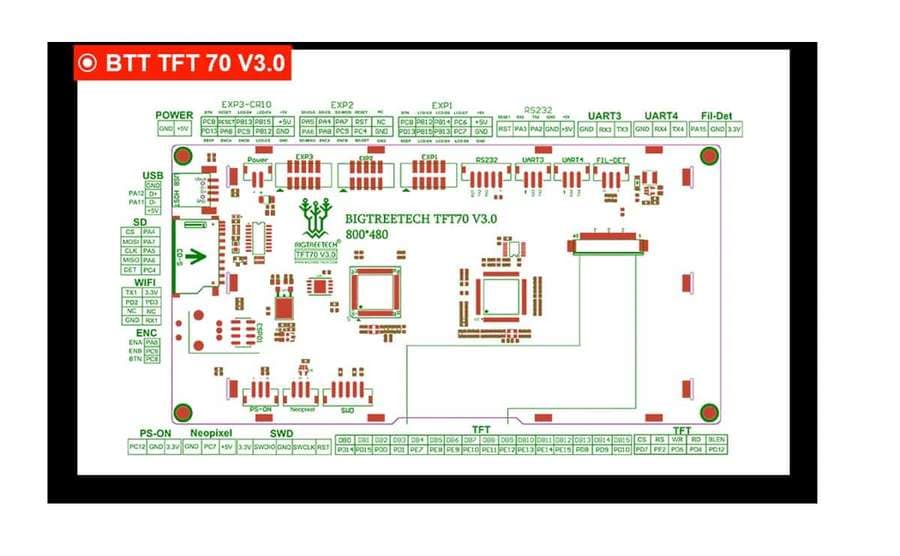
- Marlin/12864 mode (no touch): Connect EXP1 + EXP2 to the motherboard.
- Touch mode (touch enabled): Switch to serial screen mode and connect to the motherboard TFT/AUX serial interface (RS232/serial).
Package Include
- 1 x Bigtreetech TFT70 V3.0
| Weight | 400 g |
|---|
Add a review
You must be logged in to post a review
Log In
Q & A
Ask a question
There are no questions yet


Reviews
There are no reviews yet